How do I switch my next workout?
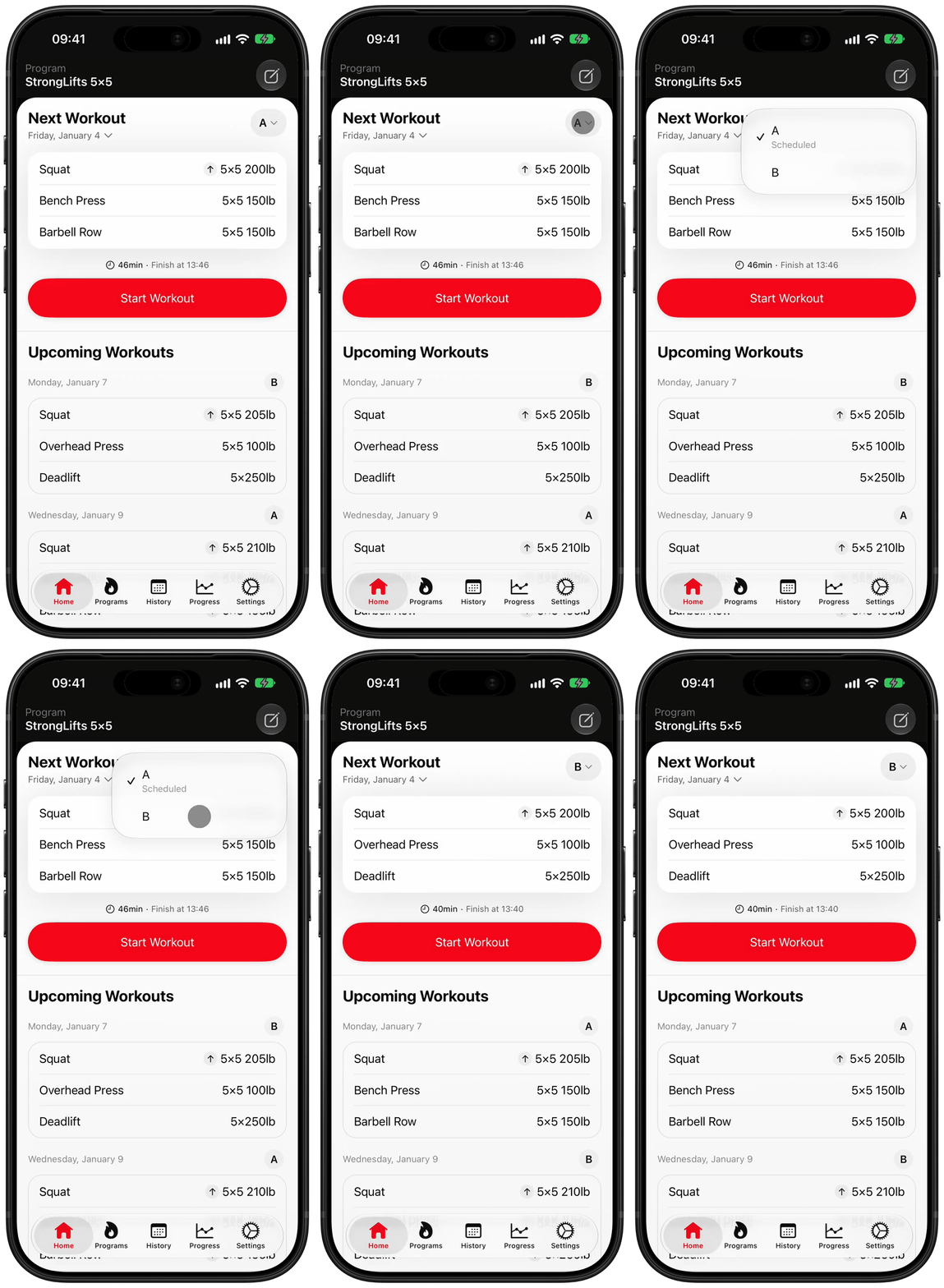
In the StrongLifts app, you can switch your next workout from the Home screen. Use this to do Workout B instead of Workout A on StrongLifts 5×5.
- Open StrongLifts and go to the Home screen.
- Tap the letter on the right of "Next Workout", for example "A".
- In the menu, tap the other workout, for example "B".
StrongLifts now shows Workout B as your next workout. The workouts under "Upcoming Workouts" change to follow the new order. Your weights do not change.