How do I change my workout schedule?
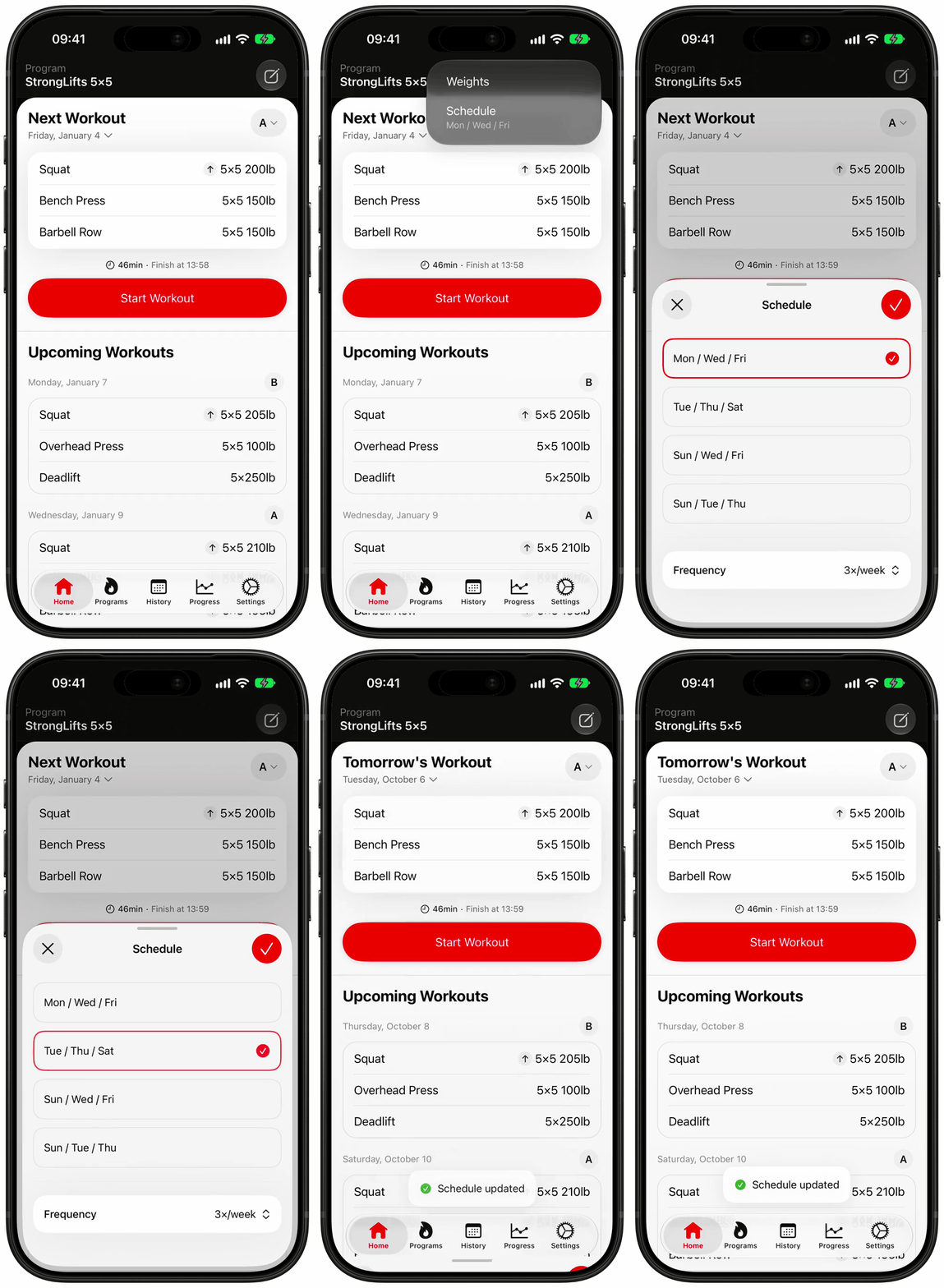
In the StrongLifts app, you can change your workout schedule from the Home screen. Use this to set on which days you want to train.
- Open StrongLifts and go to the Home screen.
- Tap the edit button on the top right corner.
- Tap "Schedule".
- Tap the row with the days you want, for example "Mon / Wed / Fri". We recommend Mon / Wed / Fri.
- Tap the checkmark.
For other days, tap "Custom" instead of a row. Then turn the days on or off. You cannot turn off the last day that is on.
To train more or fewer days each week, first tap "Frequency" and select a number, for example "4×/week". The rows then show the days for that number.
StrongLifts will put your next workouts on the new days. If you moved your next workout to a different date before, the new schedule replaces that date.