How do I start and finish a workout on my Apple Watch?
With StrongLifts on Apple Watch, you can start a workout, finish it or discard it from your wrist. Your iPhone gets each change at once.
Start a workout
- Open StrongLifts on your iPhone one time, so that it sends your next workout to the Watch.
- Open StrongLifts on your Apple Watch.
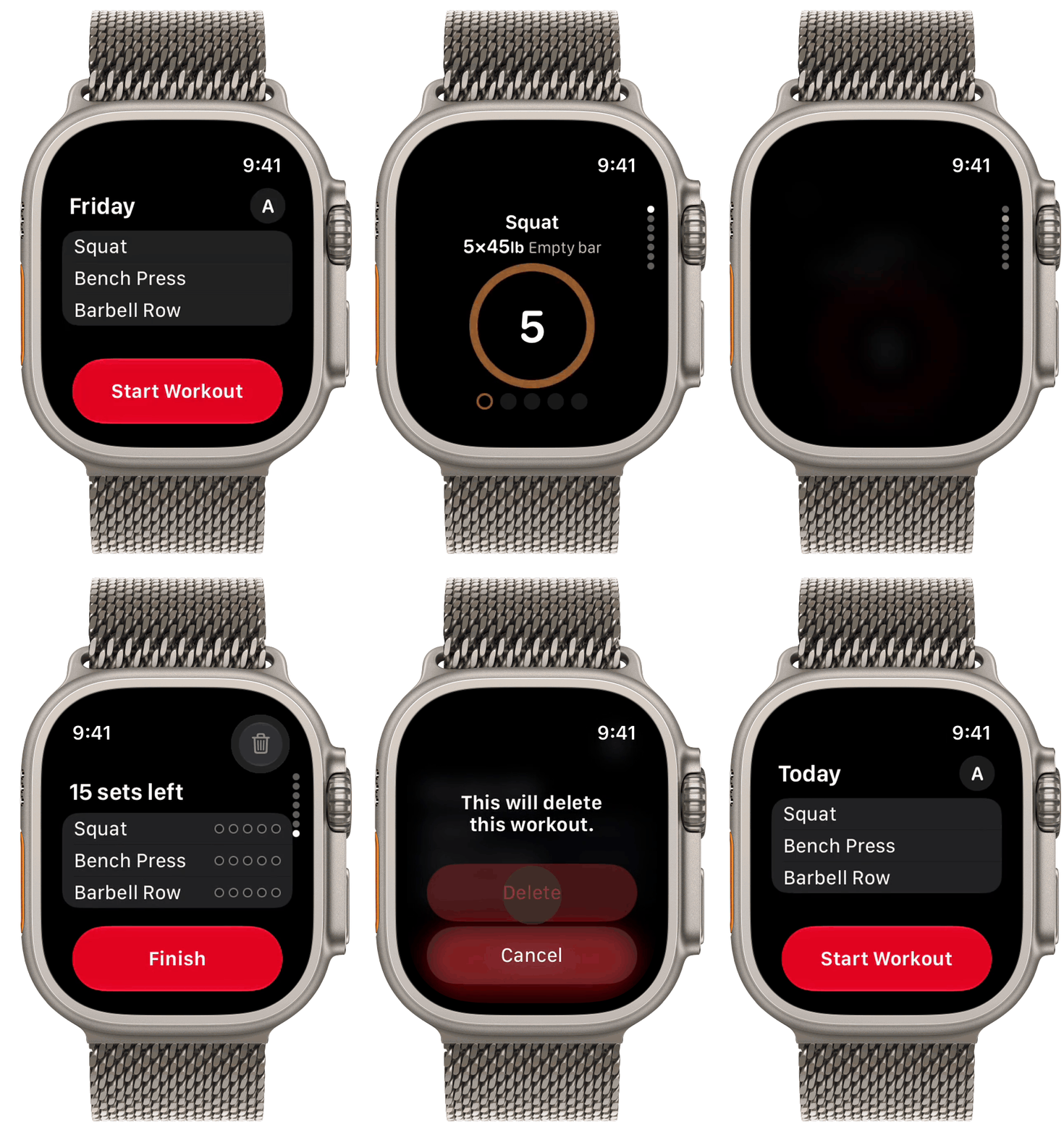
- The Start screen shows the day, the workout and its exercises.
- Tap "Start Workout". You can also use the double tap gesture.
- The page of your first exercise shows.
If the Watch shows "Open StrongLifts on iPhone", open the app on your iPhone. The Watch then shows your workout.
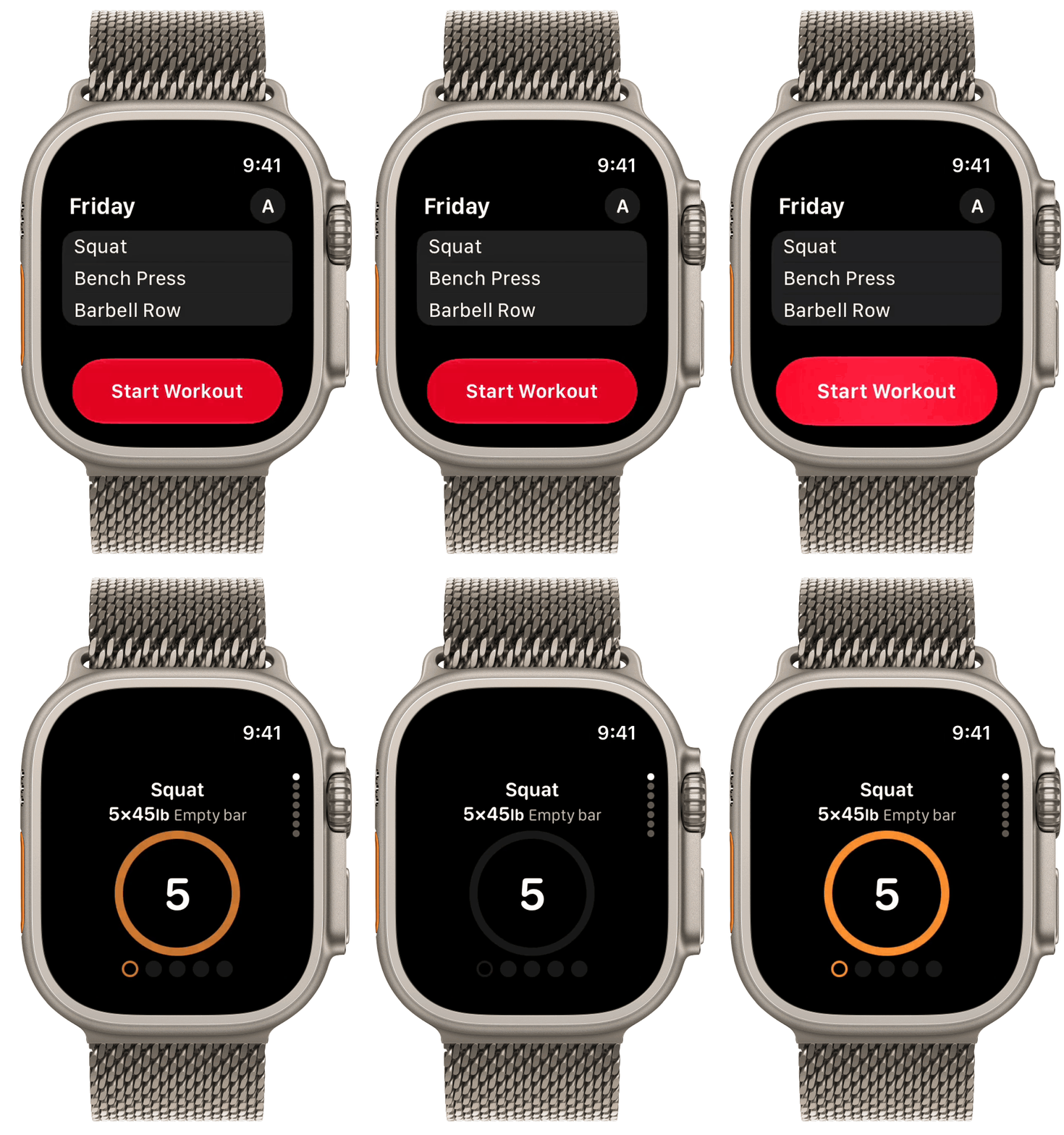
The first time you start a workout on your Apple Watch, your Watch asks for access to Apple Health. Tap "Allow". With this access, StrongLifts stays open on your Watch during the workout, and your Watch vibrates when your rest is done.
You can also start the workout on your iPhone. StrongLifts then opens the workout on your Apple Watch. This works only when StrongLifts is installed on your Apple Watch.
Finish a workout
- Log your last set.
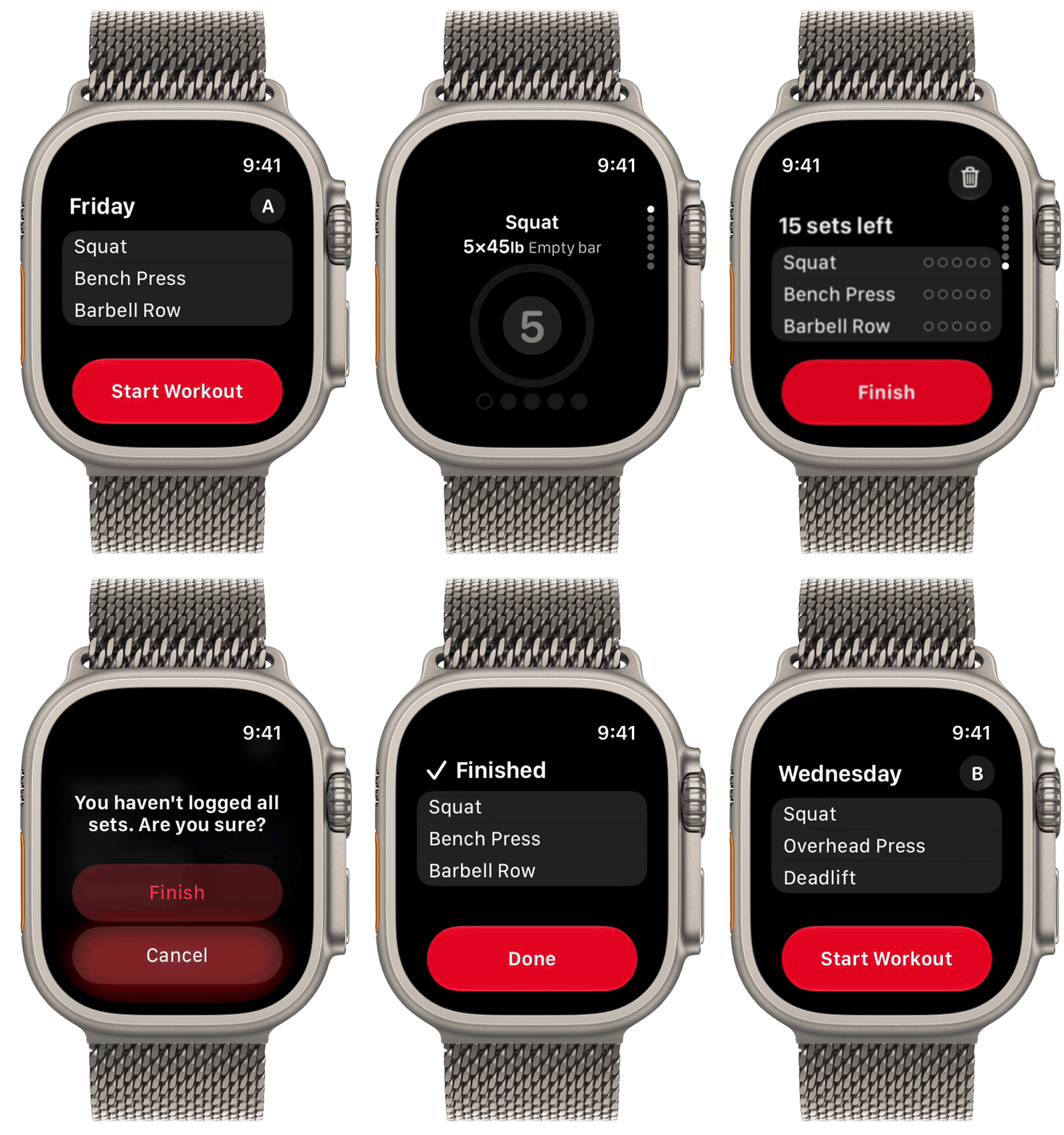
- The Finish page shows "All sets done".
- Tap "Finish".
- The Watch shows "Finished" and your exercises. Tap "Done".
To finish early, swipe up or turn the Digital Crown to the last page. The page shows how many sets are left, for example "6 sets left". Tap "Finish". The Watch asks "You haven't logged all sets. Are you sure?". Tap "Finish" again. The Finish button shows only after you log one set.
StrongLifts sends the workout to your iPhone. Your iPhone saves it to Apple Health.
Discard a workout
- Swipe up or turn the Digital Crown to the last page.
- Tap the trash button at the top right.
- The Watch shows "This will delete this workout." Tap "Delete".
StrongLifts deletes the workout on your Watch and iPhone. The Watch shows the Start screen again. The workout does not go to Apple Health. To keep the workout, tap "Cancel".