

How do I start my StrongLifts workout and my music with one shortcut?
You can make one shortcut in the Shortcuts app that plays your music and starts your next StrongLifts workout. Then one tap or one Siri request starts both.
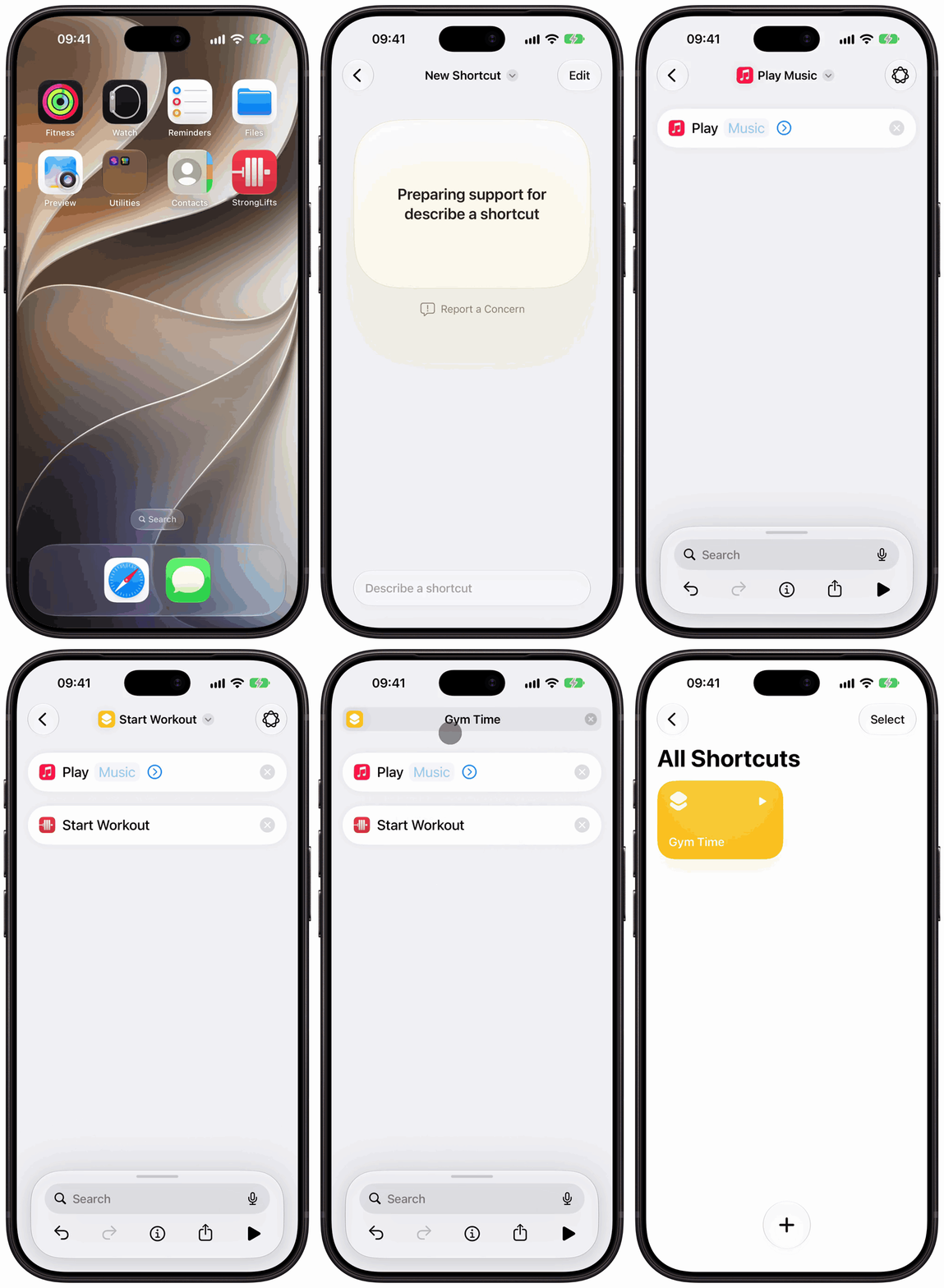
- Open the Shortcuts app on your iPhone and tap the Add button (+).
- If you see "Describe a shortcut", tap Edit at the top right.
- Tap Play Music. If you do not see it, search for "Play Music", then tap it.
- In the Play Music action, tap Music and pick your playlist.
- Tap the search field at the bottom, search for "Start Workout", then tap the "Start Workout" with the StrongLifts icon. The Fitness app also has a "Start Workout", with a green icon.
- Tap the name at the top, tap Rename, type a name such as "Gym Time", then tap Return.
- Tap the back button. Your shortcut shows in All Shortcuts.
On iOS 26, the screens are different: tap Add Action to find an action, and tap Done to save.
Put Play Music before Start Workout. "Start Workout" opens StrongLifts, so it must be the last action.
Run it
- Siri: say the name of your shortcut, for example "Gym Time".
- Home Screen: in Shortcuts, touch and hold your shortcut, tap Details, then tap Add to Home Screen.
- Action button (iPhone 15 Pro or later): go to Settings > Action Button, swipe to Shortcut, tap Choose a Shortcut, then pick your shortcut.
- Apple Watch: in the details of your shortcut, make sure Show on Apple Watch is on. Then run it from the Shortcuts app on your watch.
The shortcut uses Apple Music. Other music apps also work if they give an action in the Shortcuts app.