How do I make my iPhone start StrongLifts when I arrive at the gym?
You can make StrongLifts start your next workout when you arrive at the gym.
Use a personal automation in the Shortcuts app on your iPhone.
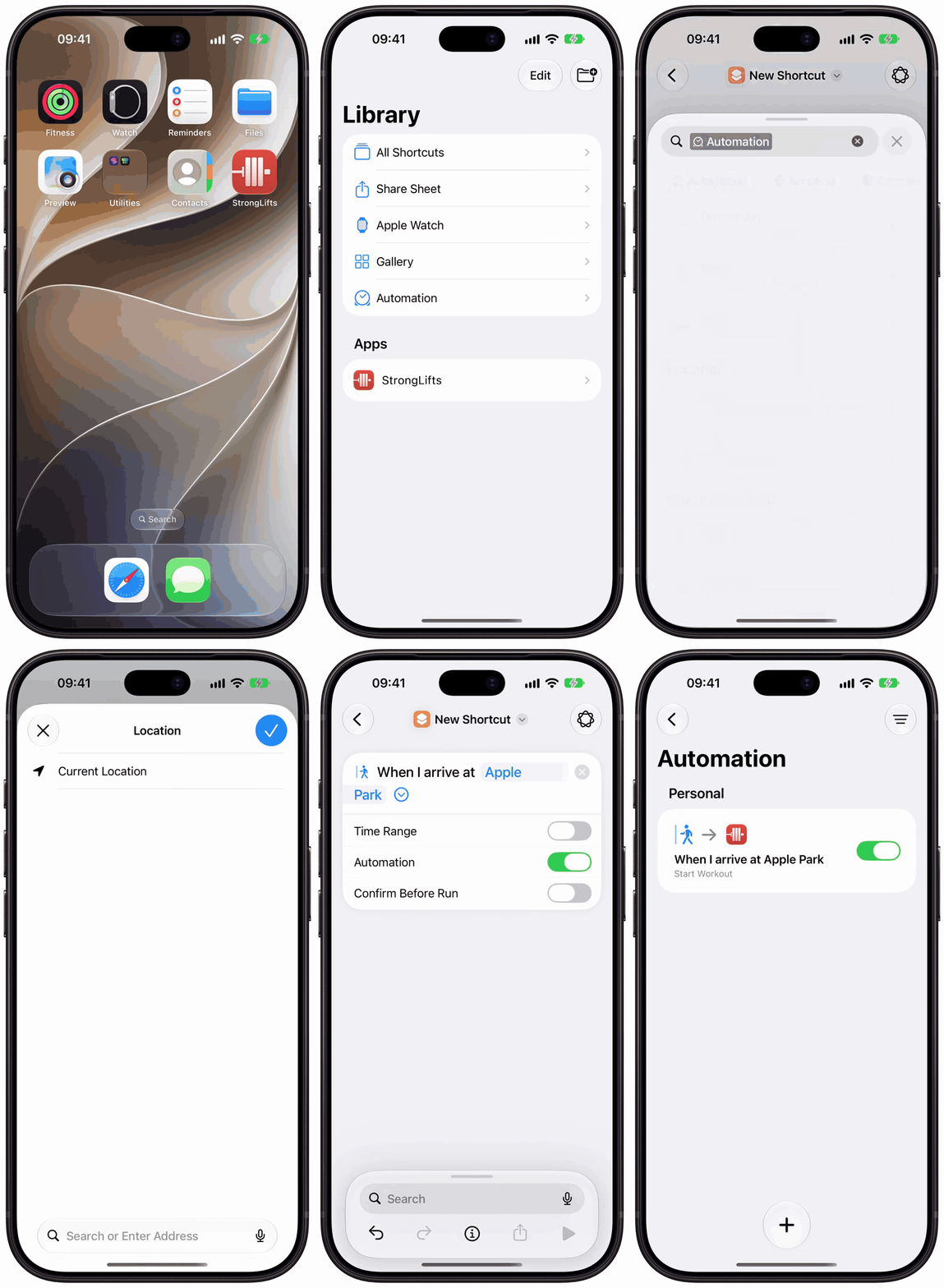
- Open the Shortcuts app on your iPhone. Tap the back button at the top left to see Library, then tap Automation.
- Tap the Add button (+). If you see "Describe a shortcut", tap Edit at the top right.
- Tap Automation above the action list, then tap Arrive.
- Tap Location. The first time, Shortcuts asks to use your location: tap Allow While Using App. Search for your gym, select it, then tap the checkmark.
- Tap the arrow next to your gym to see the options. Keep Confirm Before Run off, so the automation runs without a question. Keep Time Range off, so it runs at any time.
- Tap the search field at the bottom, search for "Start Workout", then tap the "Start Workout" with the StrongLifts icon.
- Tap the back button. Your automation shows in the Automation list, with its switch on.
When you arrive at the gym, StrongLifts opens and starts your next workout. If you turned on Confirm Before Run, you get a notification first. Tap it to start the workout.
Other triggers: you can also use Bluetooth to start StrongLifts when your AirPods connect, or Time of Day to start it at a set time.
On iOS 26, the steps are different. Tap Automation at the bottom of the Shortcuts app, tap +, then tap Create Personal Automation. Tap Arrive, choose your gym, select Run Immediately, then tap Next. Tap New Blank Automation, add Start Workout, then tap Done.