

How do I add StrongLifts to the Smart Stack on my Apple Watch?
You can add the StrongLifts "Next Workout" widget to the Smart Stack on your Apple Watch. The Smart Stack is a list of widgets that shows above your watch face. The widget shows your workout for today, so you can see it without opening the app.
The image shows the widget on a workout day, after the workout, and on a rest day.
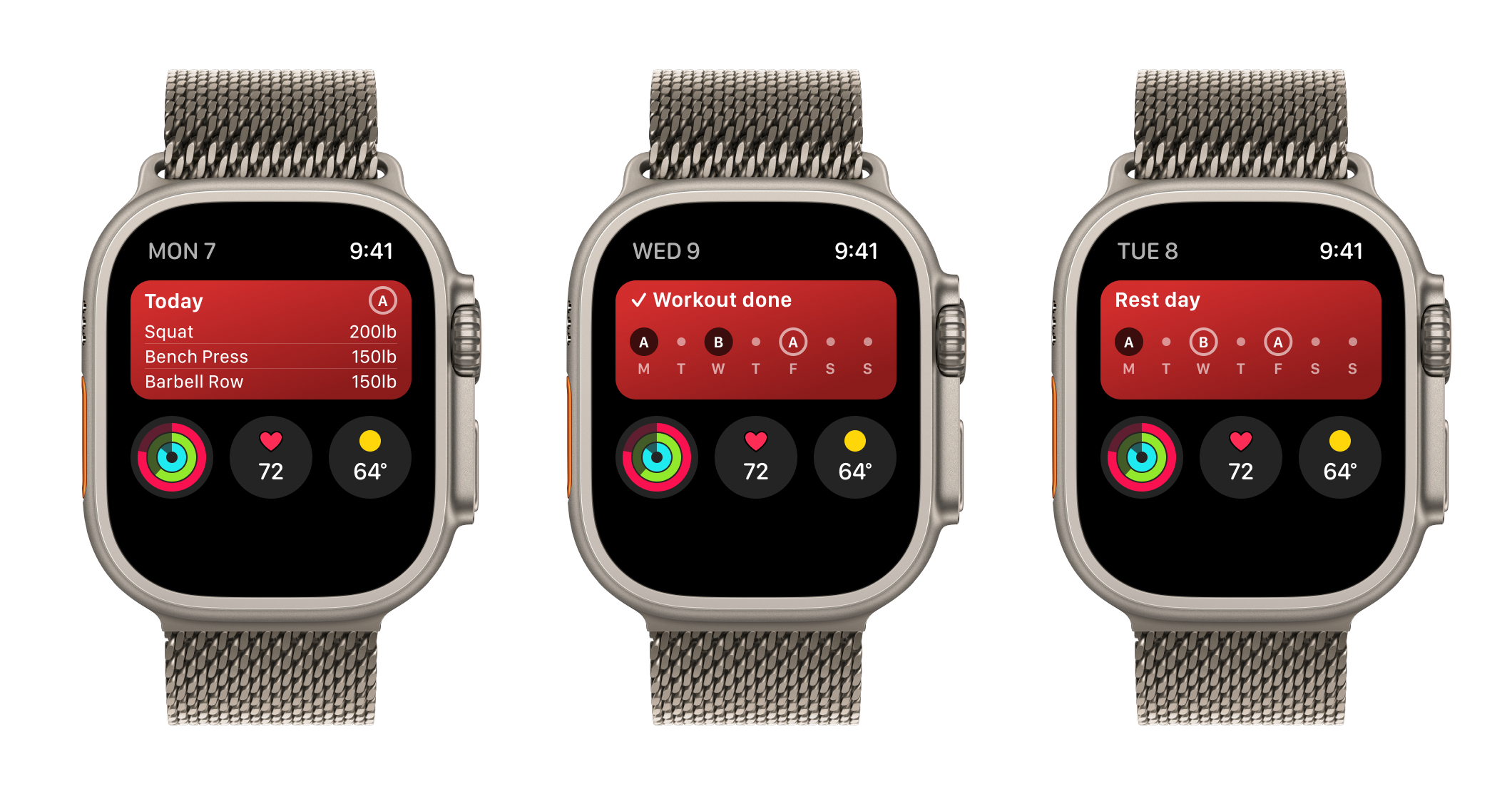
The "Next Workout" widget shows:
- On a workout day: "Today", the letter of the workout, and up to 3 exercises with their weights.
- After the workout: "Workout done" and your week.
- On a rest day: "Rest day" and your week.
Add the widget to the Smart Stack
- On your Apple Watch, go to the watch face.
- Turn the Digital Crown up, or swipe up from the bottom of the display.
- Scroll to the bottom of the Smart Stack, then tap Edit.
- Tap the add button, then choose StrongLifts.
- Tap Done.
On a workout day, your Apple Watch can move the widget to the top of the Smart Stack. During a workout, the Smart Stack also shows a StrongLifts card with your next set or your rest time.
If StrongLifts is not set up on your iPhone yet, the widget shows "Open StrongLifts on iPhone to start".