

How do I add StrongLifts to my Apple Watch face?
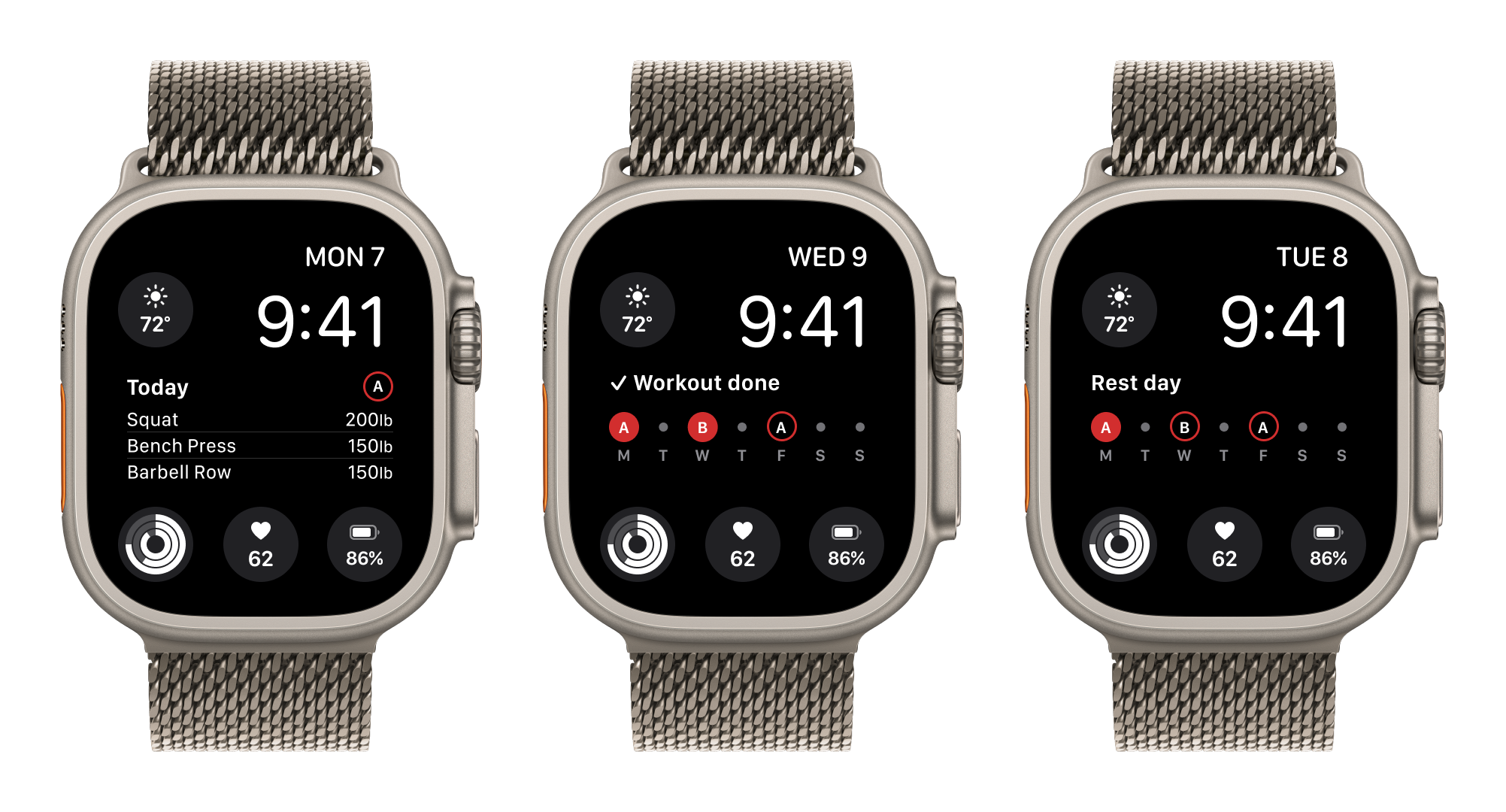
You can add StrongLifts to your Apple Watch face as a complication. A complication is a small item on the watch face. StrongLifts offers three complications. "Next Workout" and "Workout" show your workout today, a done workout, or a rest day. "Logo" shows the StrongLifts logo and opens the app.
Add the rectangular complication
- On your Apple Watch, go to the watch face. Touch and hold the display.
- Tap "Edit".
- Swipe left until you see "COMPLICATIONS".
- Tap the large rectangular complication.
- Tap "StrongLifts".
- Tap "Next Workout".
- Press the Digital Crown to save.
- Tap the watch face.
The rectangular complication shows your workout today, a done workout, or a rest day.
Add the circular complication
- On your Apple Watch, go to the watch face. Touch and hold the display.
- Tap "Edit".
- Swipe left until you see "COMPLICATIONS".
- Tap a small circular complication.
- Scroll to "StrongLifts" and tap it.
- Tap "Workout".
- Press the Digital Crown to save.
- Tap the watch face.
The circular complication shows your workout today, a done workout, or a rest day.
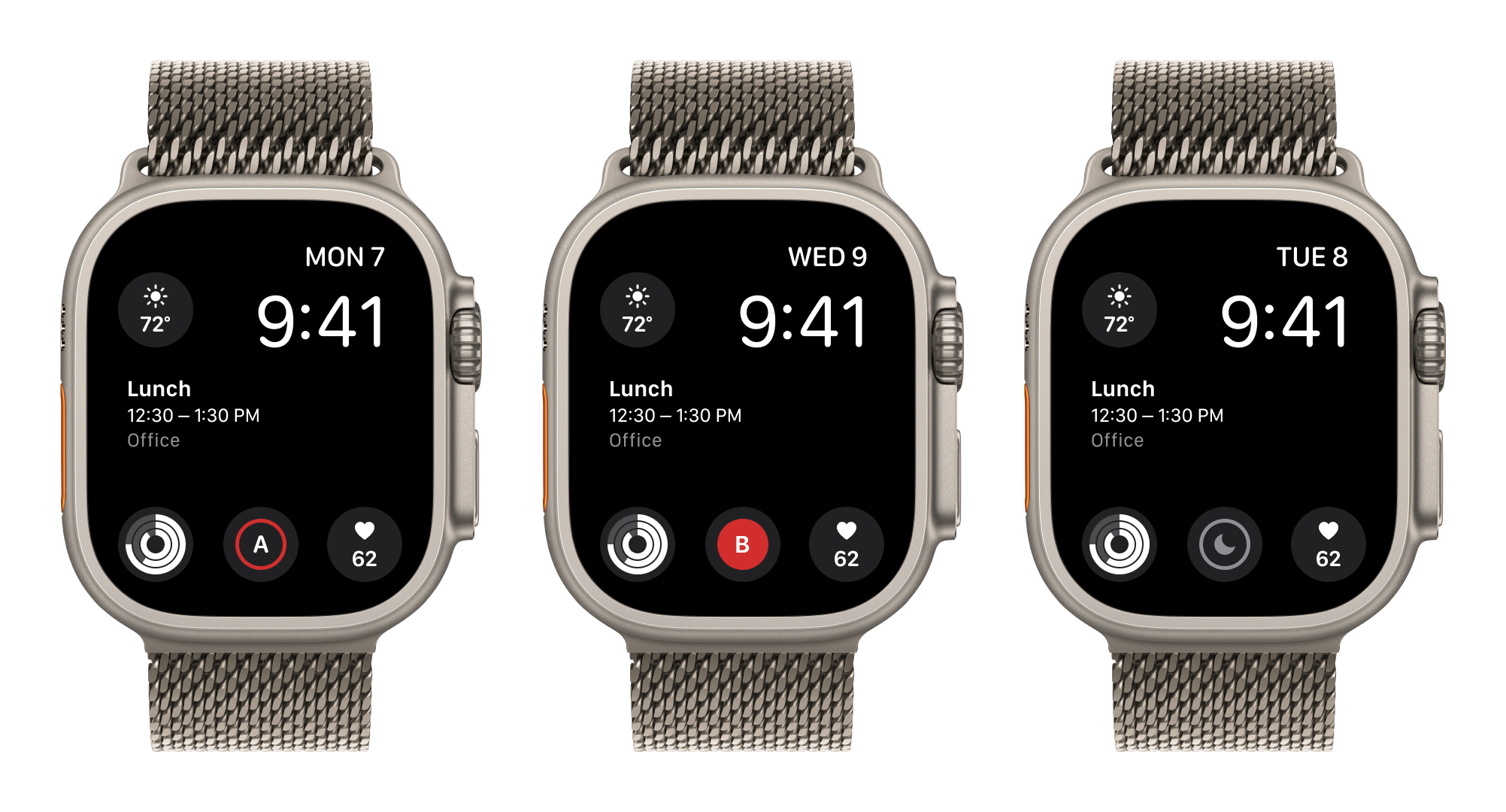
StrongLifts also offers corner and inline complications for other watch faces. The corner complication shows "Today", "Done" or "Rest". The inline complication shows "Today: B", "Done: B" or "Rest day". "B" is the letter of the workout.
Add the logo complication
- On your Apple Watch, go to the watch face. Touch and hold the display.
- Tap "Edit".
- Swipe left until you see "COMPLICATIONS".
- Tap a small circular complication or a corner complication.
- Scroll to "StrongLifts" and tap it.
- Tap "Logo".
- Press the Digital Crown to save.
- Tap the watch face.
The logo complication shows the StrongLifts logo, a red disc with a barbell. In a corner, the word "STRONGLIFTS" curves along the edge of the display. The logo does not change with the day. Tap it to open StrongLifts on your Apple Watch.
On a watch face with one color, the complications take the color of the face.
The logo complication needs StrongLifts 4.4.1 or later on your iPhone and on your Apple Watch. If your watch face showed the StrongLifts logo before version 4.4.0, add the logo complication again with the steps above. A watch face that shows the "Workout" complication keeps it after the update.