

How do I log my warmup sets on my Apple Watch?
StrongLifts gives you warmup sets before your heavier work sets.
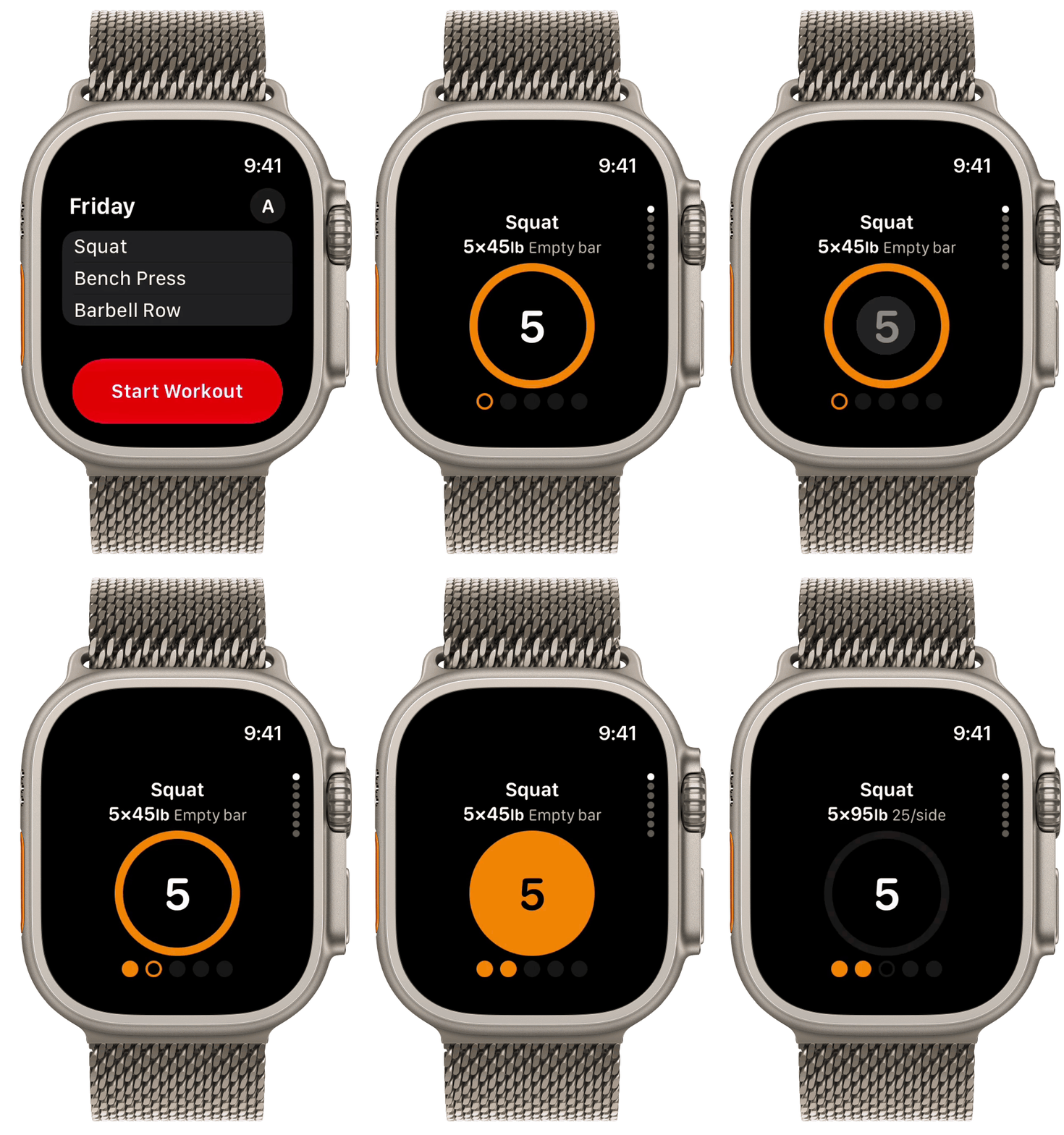
On Apple Watch, the warmup sets of an exercise have their own page with an orange circle. This page comes before the page of your work sets. Example: "Squat", "5×45lb Empty bar".
Log a warmup set
- Tap the big orange circle one time.
- Do the next warmup set, then tap the circle again.
StrongLifts logs the warmup set with all its reps. The circle fills orange. Then the page shows your next warmup set. When you log the last warmup set, the page shows "Warmup done" and the rest timer starts automatically. Then the page of your work sets shows.
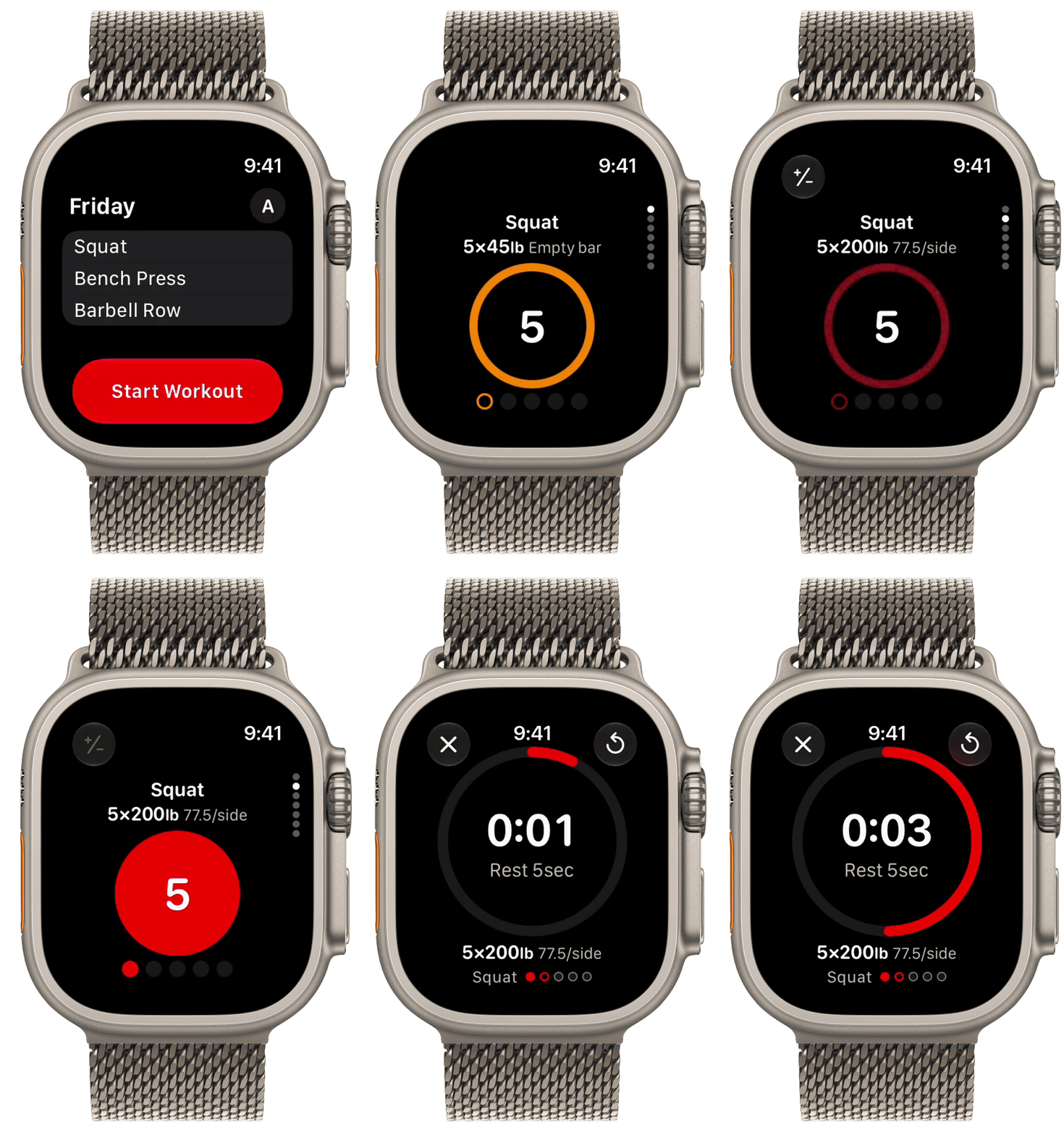
During your warmup, tap the plate button at the top left to see the plates to add to the bar. This button shows only for barbell exercises. It turns gray when all your warmup sets are done.
Undo a warmup set
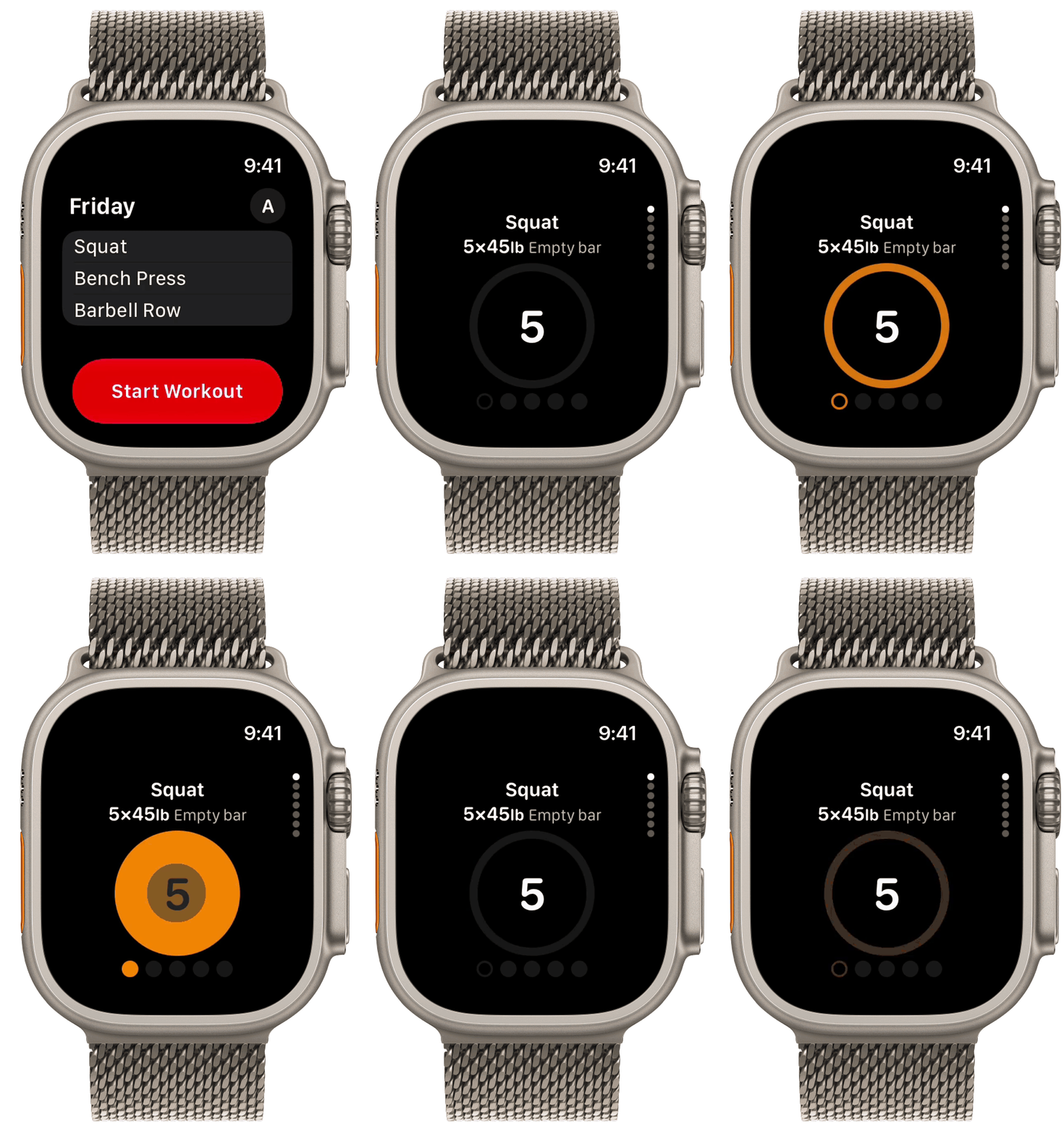
- Tap the big orange circle again quickly.
- The warmup set opens again and is not logged.
Undo the last warmup set
After the last warmup set, the page shows "Warmup done" and the rest timer starts.
- Tap the check mark at the top left to close the rest timer.
- Swipe down to the warmup page, or turn the Digital Crown.
- Touch and hold the big circle.
The last warmup set opens again and is not logged.
Skip the warmup sets
- Swipe up to the page of your work sets, or turn the Digital Crown.
- Tap the big red circle to log your first work set.
If you log some warmup sets, the next tap logs the warmup set after the last one that you logged.
To turn warmup sets on or off, go to Settings > Preferences > Warmup on your iPhone. When Warmup is off, your Apple Watch shows no warmup pages.
To learn how StrongLifts picks the weight and reps of each warmup set, see How StrongLifts calculates your warmup sets.