

How do I see my workout on my iPhone Lock Screen and in the Dynamic Island?
During a workout, StrongLifts shows a Live Activity on iPhone. This is a card with your workout. It shows on the Lock Screen and in the Dynamic Island. You can see your rest time and your next set without opening the app.
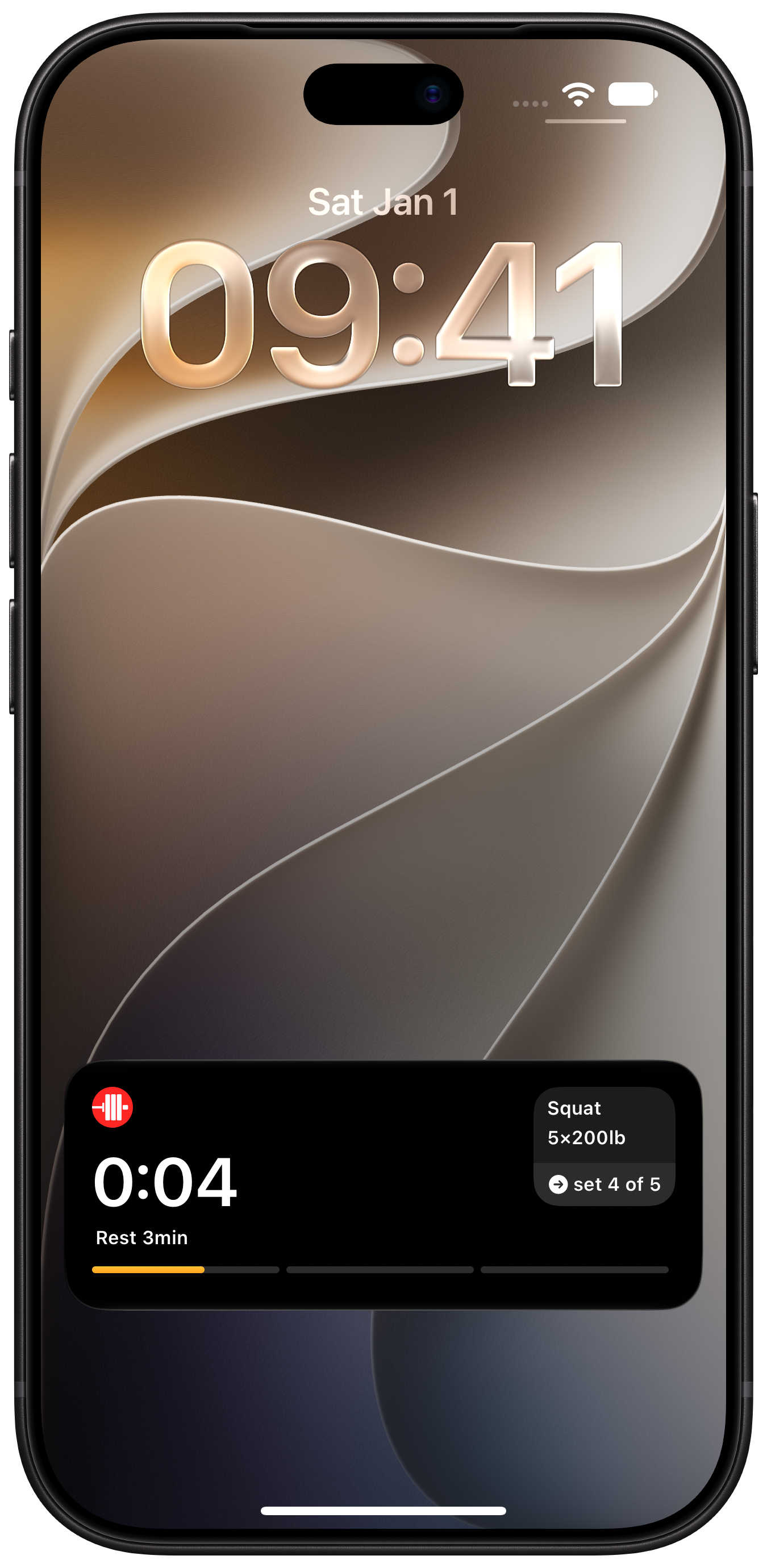
What the Dynamic Island shows
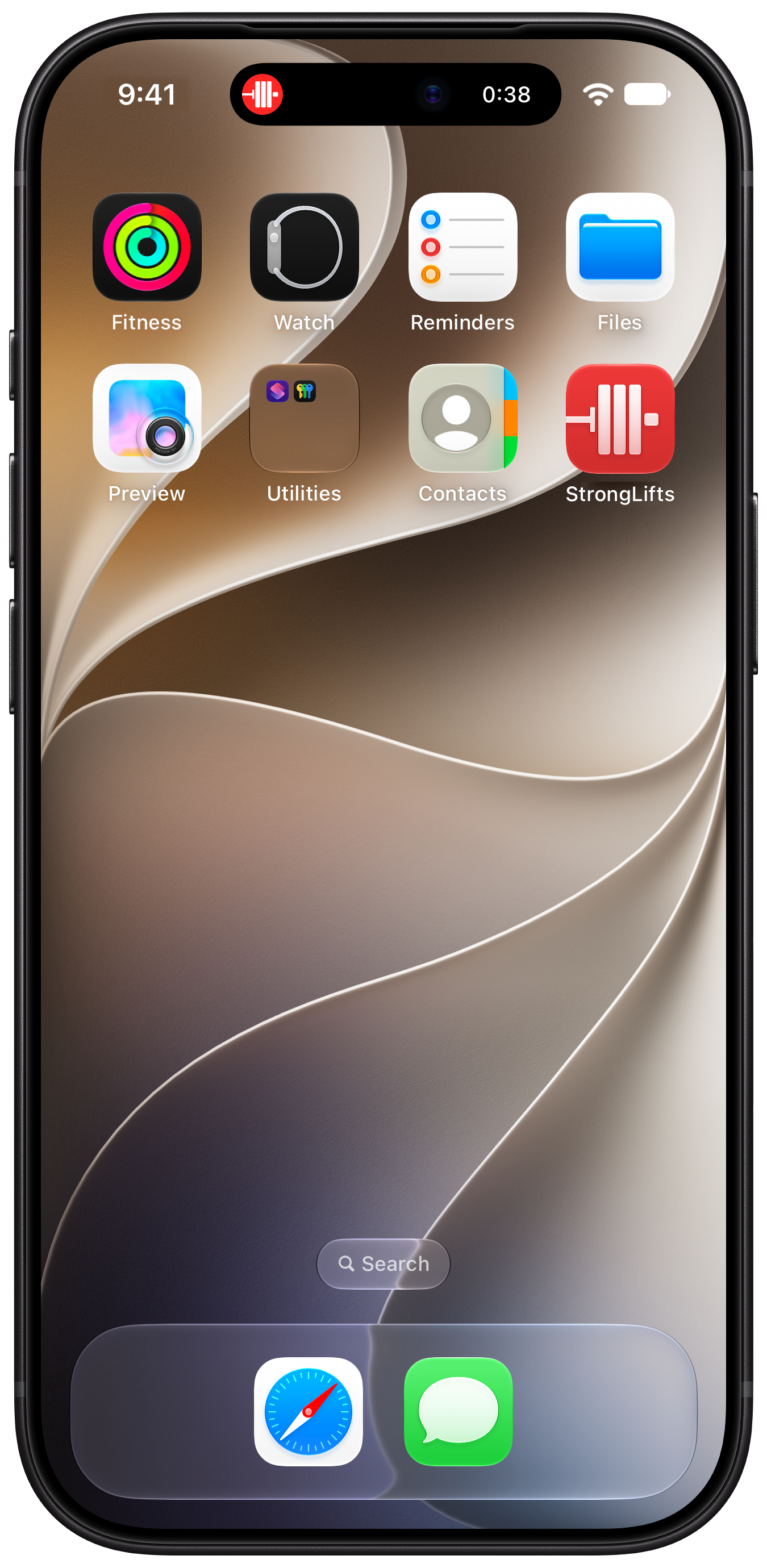
If your iPhone has the Dynamic Island, your workout shows at the top of the screen when you use other apps.
The Dynamic Island shows: the StrongLifts icon and your rest time. To see more, touch and hold the Dynamic Island. It shows the same card as the Lock Screen.
To open StrongLifts, tap the Dynamic Island.
Turn on Live Activities
- On your iPhone, open Settings.
- Tap Apps, then tap StrongLifts.
- Tap Live Activities, then turn it on.
To see the card when your iPhone is locked:
- On your iPhone, open Settings.
- Tap Face ID & Passcode, then enter your passcode.
- Under Allow Access When Locked, turn on Live Activities.
Start a workout and log a set. Then lock your iPhone and turn on the screen. The card shows on the Lock Screen.